Start11 v2 version 2.55 installer: the Next button will not enable

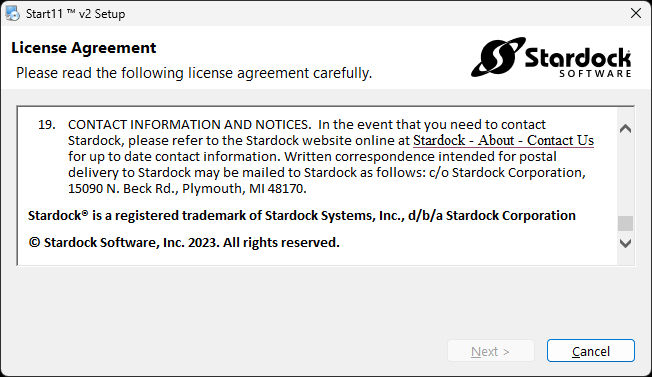
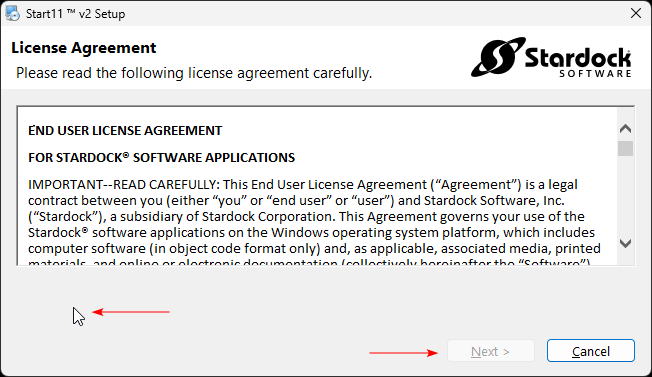
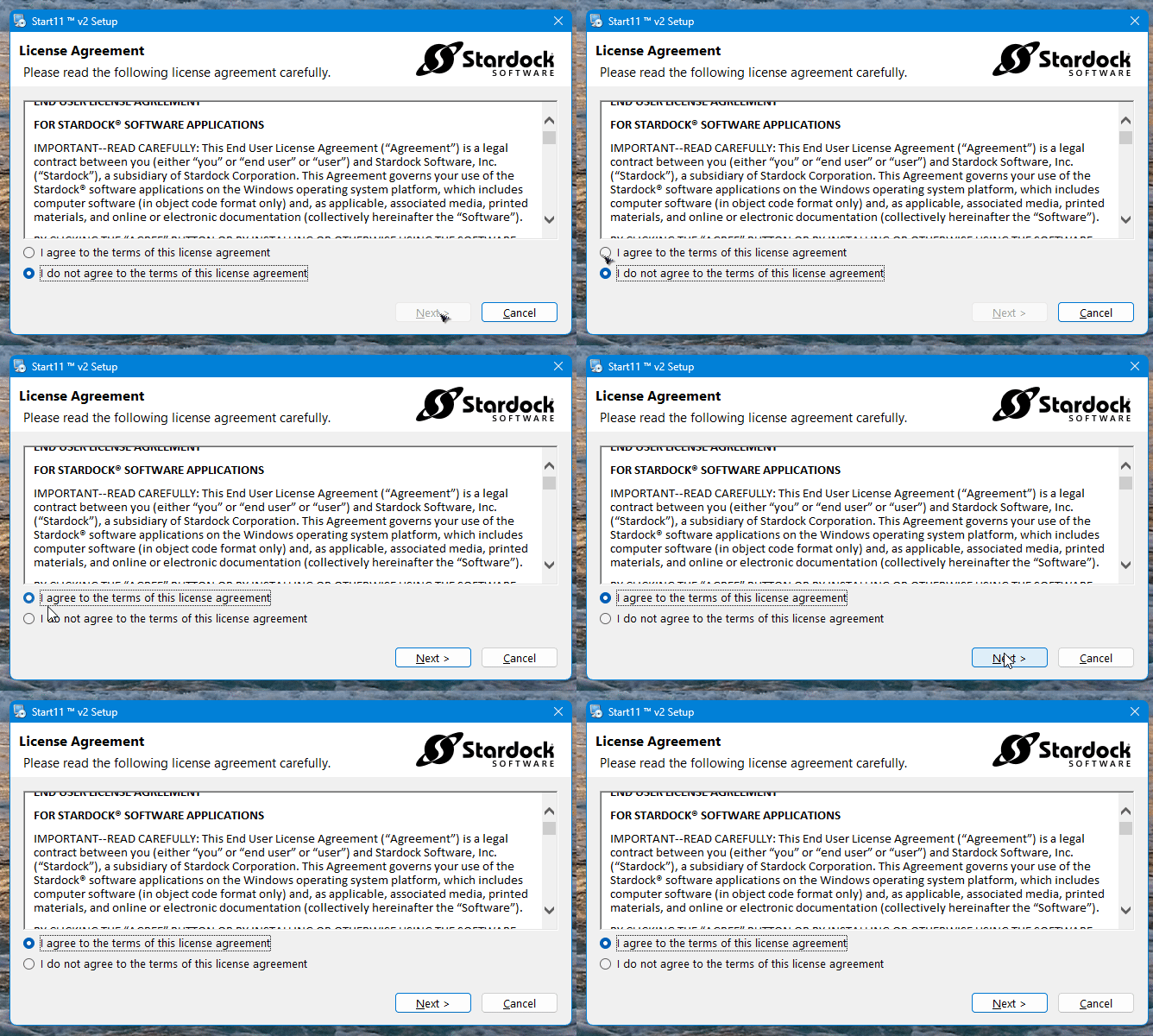
As seen in the screenshot, the Next button will not enable, and I cannot install the application. The same problem with the Start11 v2 version 2.56 beta, which I downloaded from my account page.
1,805 views 16 replies
Reply #1 Top

Hello,
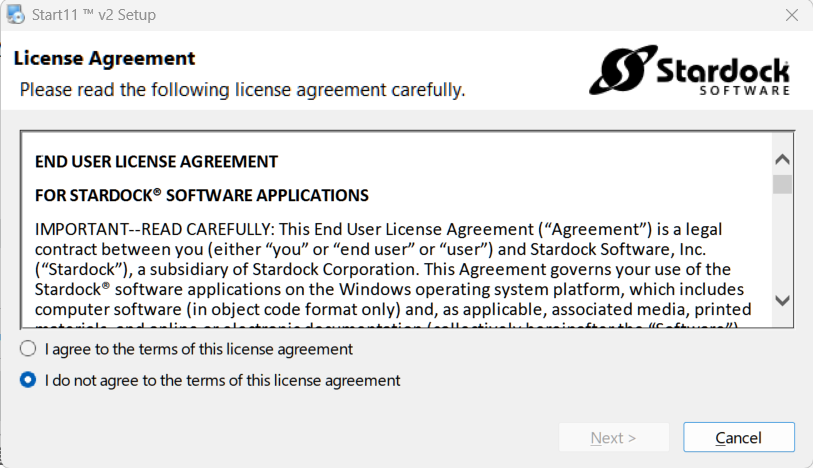
Sorry to hear you are having issues. Not really sure why you have missing part in that License Agreement popup Windows. What you should see is something like my screenshot below. And that "Next" button only clickable once you click on "I agree to the terms..." radio button.

Perhaps, re-download the installer directly from your account page: https://store.stardock.com/myaccount/products. Try running it.

If that part still missing, try these steps and see it could also work. https://support.stardock.com/space/SHC/1260027927/Missing+Activate+button 

Thank you,
Basj,
Stardock Community Assistant.

Reply #2 Top

I have tried Start11v2-setup.exe (downloaded from the public website), and Start11v2_Setup_sd.exe and Start11_2.5.6.1-j237-Setup_sd.exe (downloaded from my account page). None of them worked with the same problem of missing the radio buttons. The Missing+Activate+button link doesn't apply because that UI is not available until the application is actually installed.

I'm a paid customer who is using the application for work for better productivity.

The problem looks like a bug in the installer itself. Could you please escalate it to the development team so that they can investigate and fix it?

Reply #3 Top

Just so you know, Start11 has been installed by many other users, but you're the first to report this particular issue—at least to my knowledge.

The link I shared earlier points to a different topic, but the method described there might still help in your case. Try pressing the Tab key to see if it jumps to the missing radio button. If it does, you can use the Enter key to select it. Once selected, the "Next" button should become clickable.

Also, what do you mean by this? Which public website was you referring to?

Quoting hainguyenthanh5, reply 2

I have tried Start11v2-setup.exe (downloaded from the public website)
End of hainguyenthanh5's quote

Thanks again!

Basj,
Stardock Community Assistant

Reply #4 Top

I know I have seen this reported before, but for the life of me I can't remember what the solution was.

I'll keep looking.

Reply #5 Top

I found one instance of this issue being reported, but there is no solution posted.

https://forums.stardock.com/537076/page/1/#3972705

Try right-clicking the installer and select "Run as Administrator."

Also, try rebooting your computer and try the install again.

Reply #6 Top

Quoting basj, reply 3

Also, what do you mean by this? Which public website was you referring to?
End of basj's quote

By the public website, I meant this page where anyone can access and download the trial installer, https://www.stardock.com/products/start11/

The workaround with the tab key doesn't work. Restarting the computer and running the installer as Administrator do not work too.

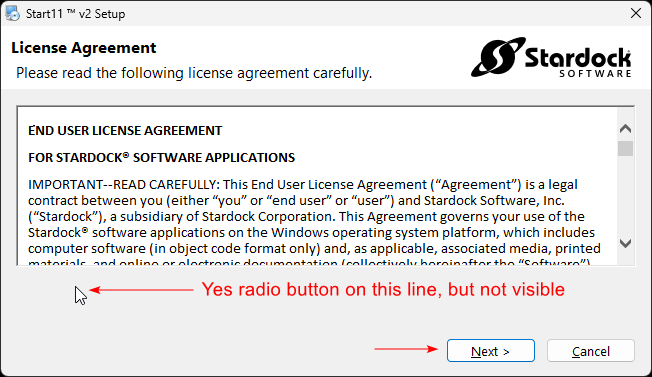
But I have found another way to make the Next button enabled. The two radio buttons were actually there but invisible. Tab key did not focus on them or make them visible. But I could click on the invisible line of the Yes radio button to select it and have the Next button enabled.

When I clicked the line below it, which should have displayed the No radio button, then the Next button was disabled again.

I finally could install the application. Thank you for your support.

Reply #7 Top

Great, glad you get it resolve yourself. Interested to know why it does not appear on your system. I have forwarded your issue to Stardock Support Team for their review. We appreciate your feedback and patience. Thank you.

Basj,
Stardock Community Assistant

Reply #8 Top

If you use the Tab key, does it stop at where it should be and then you can use the space bar to select it?

Sean Drohan
Stardock Product Lifecycle Manager

Reply #9 Top

I'm going to make a note of this, so I know how to respond to users with this issue if I see it again.

Thanks for the feedback. :grin:  

Reply #10 Top

Quoting pelaird, reply 9

I'm going to make a note of this, so I know what to do if it happens again.

Thanks for the feedback. :grin:  
End of pelaird's quote

I need to know it works 1st ;)  The UI elemets 'should' be there, something is just preventing them from showing for some very small number of users (that is my hope anyhow).
Sean Drohan
Stardock Product Lifecycle Manager

Reply #11 Top

I don't have this issue, but pressing Tab does not change the radio button selection in that dialog box. (If that helps.)

Reply #12 Top

Quoting pelaird, reply 11

I don't have this issue, but pressing Tab does not change the radio button selection in that dialog box. (If that helps.)
End of pelaird's quote

But does it tab to them?

Sean Drohan
Stardock Product Lifecycle Manager

Reply #13 Top

This is what comes up for me, and as I said the tab does nothing in this dialog.

Reply #14 Top

Quoting pelaird, reply 13

This is what comes up for me, and as I said the tab does nothing in this dialog.


End of pelaird's quote

I tested it, you are correct... I really want to know why its not showing for those very few....

Sean Drohan
Stardock Product Lifecycle Manager

Reply #15 Top

Quoting hainguyenthanh5, reply 6

But I have found another way to make the Next button enabled. The two radio buttons were actually there but invisible. Tab key did not focus on them or make them visible. But I could click on the invisible line of the Yes radio button to select it and have the Next button enabled.
End of hainguyenthanh5's quote

If you start the installer and get the dialog with no radio buttons, if you hit the Tab key, does "Next" become clickable?

Reply #16 Top

Quoting sdRohan, reply 14

I tested it, you are correct... I really want to know why its not showing for those very few....
End of sdRohan's quote

I did notice when installing 2.5.6.3, that the Tab key does move the focus from "Next" to "Cancel."