Sorting

Using fences 3.0.9.11  the icons are not sorting alphabetically and there doesn't seem to be a setting in the setting to make this happen. I know i can sort each fence but when you have about 30 fences on 2 screens that is not a good option.
6,580 views 6 replies
Reply #1 Top

Hello,
Sorry to hear you are having issues. Need to know more on your system.

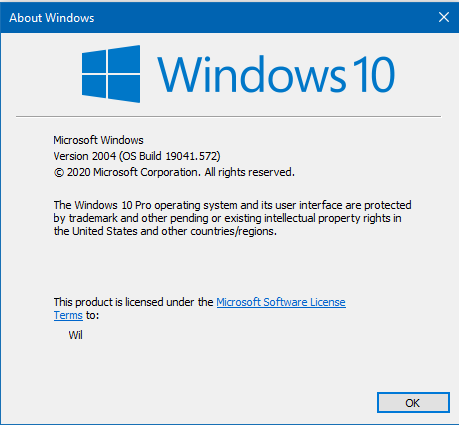
  1. Windows version, please use Microsoft's Winver.exe for full Windows version numbers.
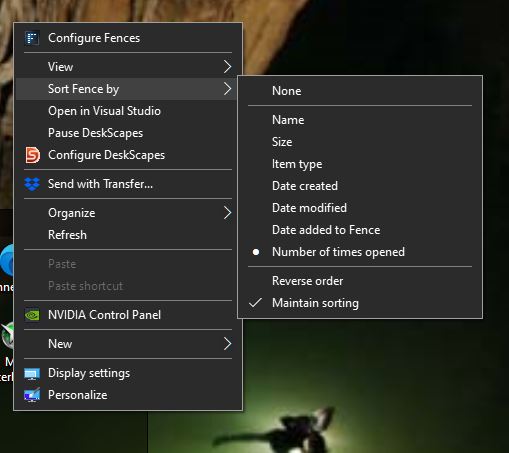
  2. Have you try this :Right click on the empty area inside a fence. Choose : Sort Fence by > Name.


Basj,
Stardock Community Assistant.

Reply #2 Top

Yes i have and that doesn't make any difference whatsoever. As a matter of fact when i right click the second time none is still selected.

Reply #3 Top

Quoting basj, reply 1

Windows version, please use Microsoft's Winver.exe for full Windows version numbers.
End of basj's quote

Still need this information.

Thank you,

Basj,
Stardock Community Assistant

Reply #5 Top

Hello,

Sorry to hear you are having trouble.

I know i can sort each fence but when you have about 30 fences on 2 screens that is not a good option.
End of quote

It does work:

https://cdn.stardock.us/support/uploads/2020-11-03_15-05-23.mp4

It is on a per Fence basis, and the default should be by name, but it's a fair request to have a global option (that is not available).

I will add the feature request internally - thank you for the feedback.

For it not working at all, try a purge and reinstall:

https://forums.stardock.com/486084/fences-support-faq#reinstalling

Sean Drohan
Stardock Support Manager

Reply #6 Top

Hello

It works on an individual fence basis but a bit of a pain in the butt i'd say 8C