Object Desktop keeps reinstalling

Object desktop keeps popping up wanting me to login.  As far as I can see, everything in the software column says Try or Buy. I do not recall ever purchasing this and it doesn't show in my dashboard. 

I keep uninstalling it and stardock keeps reinstalling it. How do I get rid of it?

13,719 views 9 replies
Reply #1 Top

Hello,
Sorry to hear you are having issues. Not really sure how this can happened.

I keep uninstalling it and stardock keeps reinstalling it.
End of quote

Could you post a video and show us this issue. And post it on a video sharing site. Post the link here.

Thanks

Basj,
Stardock Community Assistant.

Reply #2 Top

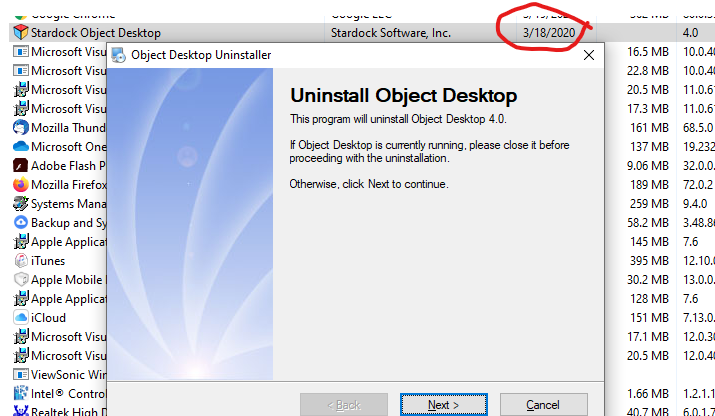
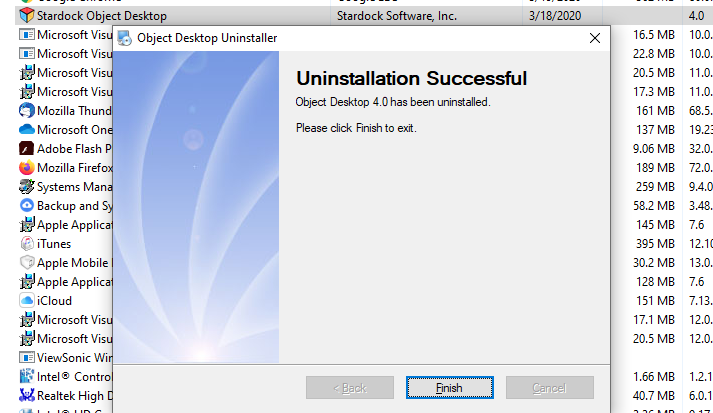
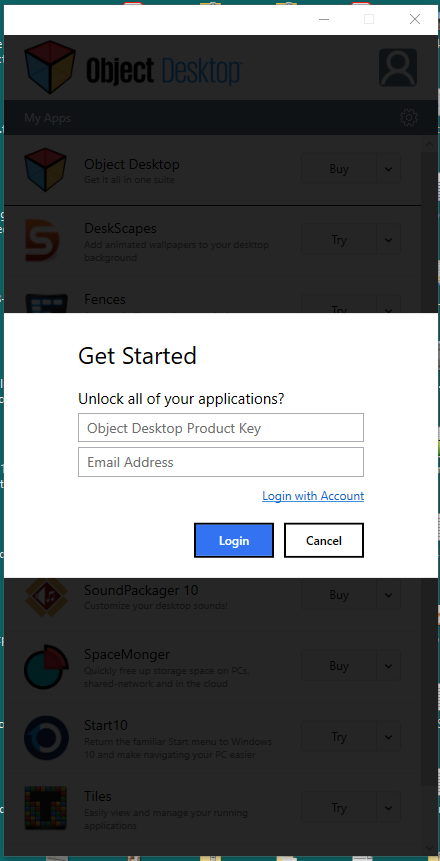
Not sure what a video would show. Here are 4 pictures, first 2 are uninstalling it and showing the last date it was installed. The 3rd/4th showsthe Object desktop popup that showed up AGAIN after I uninstalled it along with the install date of today (3/21) when I checked my PC. I uninstalled it around 8:30pm 3/20, it's back when I signed in on my PC 3/21 3:30am!

Reply #3 Top

Hello,
I have forwarded your questions/problems to the Stardock Support team for their assistance. Please keep an eye on this thread for any updates. We appreciate your feedback and patience.

Thank You,
Basj
Stardock Community Assistant.

Reply #4 Top

Try a 3rd party uninstaller, like iObit Uninstaller.

Reply #5 Top

I am having the same problem. Not only does it keep reinstalling but it keeps randomly reopening. Pretty much every time I return to my desk after walking away, the Object Desktop window is (already) open (again). It shows up in my Programs and Features control panel applet as Object Desktop, and I've uninstalled it 3 times in the last 24 hours.

Here is what the "Object Desktop" app looks like (see right):
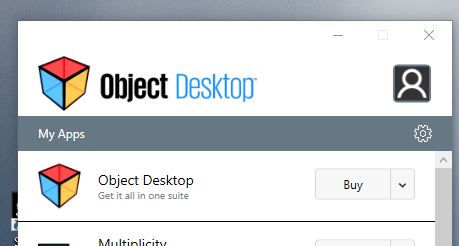
Note the first line that shows I don't actually have Object Desktop, which presumably is a different installer than this "Object Desktop" showing it.  I feel like I'm caught in some kind of recursive mirror world just trying to describe this.

This alternate "Object Desktop" -- which actually doesn't appear to be Object Desktop, which I don't have for a license for, or even have installed, based on the "fake" Object Desktop summary that keeps auto-opening -- seems to duplicate a lot of the functionality that was in Stardock Central.

So I think this may be related to Stardock Central.  At some point did this alternative "Object Desktop" app/wrapper replace Stardock Central?  I do have Stardock Central installed. The problems started to happen when it said there was an update.

I don't want to have to uninstall Stardock Central, I want to keep my apps up to date. However, I also don't want this dang window to keep popping up.

I thought it might be a successor to SDC but was popping up a window because I hadn't entered login info yet. So I entered it.  That just eliminated the login popup but not the app appearing all the time.

I've never had any trouble with any Stardock software, and I'm one of the original customers from WAY back, but this very frustrating. These apps are supposed to make my desktop easier to use, not create problems of their own.  The frustration is partly because there appear to be two different products now called Object Desktop, and they even have the same icon (as seen in the image above).

I'm thinking Stardock Central has been renamed to Object Desktop (too) and this brand change has broken the upgrade process so it's not uninstalling the old (SDC) installation? And the new one (OD wrapper thingy) has some really annoying bug that it keeps popping up this window every few hours?


Reply #6 Top

Hello,
I have forwarded your questions/problems to the Stardock Support team for their assistance. Please keep an eye on this thread for any updates. We appreciate your feedback and patience.

Thank You,
Basj
Stardock Community Assistant.

Reply #7 Top

Hello,

Sorry to hear you are having trouble.

It might be a Stardock Central (really old) installation?  Uninstall both Stardock Central and Object Desktop.  If Object desktop still pops up, you may need to use Task Manager to Open the File location to see where the app is actually installed and manually delete the folder.
 
Sean Drohan
Stardock Support Manager
Reply #8 Top

I was hopeful after using iobit to uninstall as I saw it removed a task scheduled. But this morning it's back again!

Reply #9 Top

@sdRohan, during followup in the other thread, I found that it was SDC detecting an update and installing Object Desktop instead. That Object Desktop seems to have the bug where it reopens the window regularly.

So indeed, one work around is to uninstall SDC so it stops installing OD, then uninstall OD one last time if it's installed.

Since I have done this, I haven't had any more of these popups. 

Of course it means I don't have that central manager for Stardock software anymore (either of them) but the individual products seem to have their own update checks anyway, at least the ones I'm using.