My Icons have disappeard
from  Stardock Forums
Stardock Forums
How do I make my icons and files reappear. Double or single clicking doesn't work? Thank you.


 Stardock Forums
How do I make my icons and files reappear. Double or single clicking doesn't work? Thank you.
Stardock Forums
Top
Hello,
Sorry to hear you are having issues. Have you tried restore snapshot? And turn off Desktop page
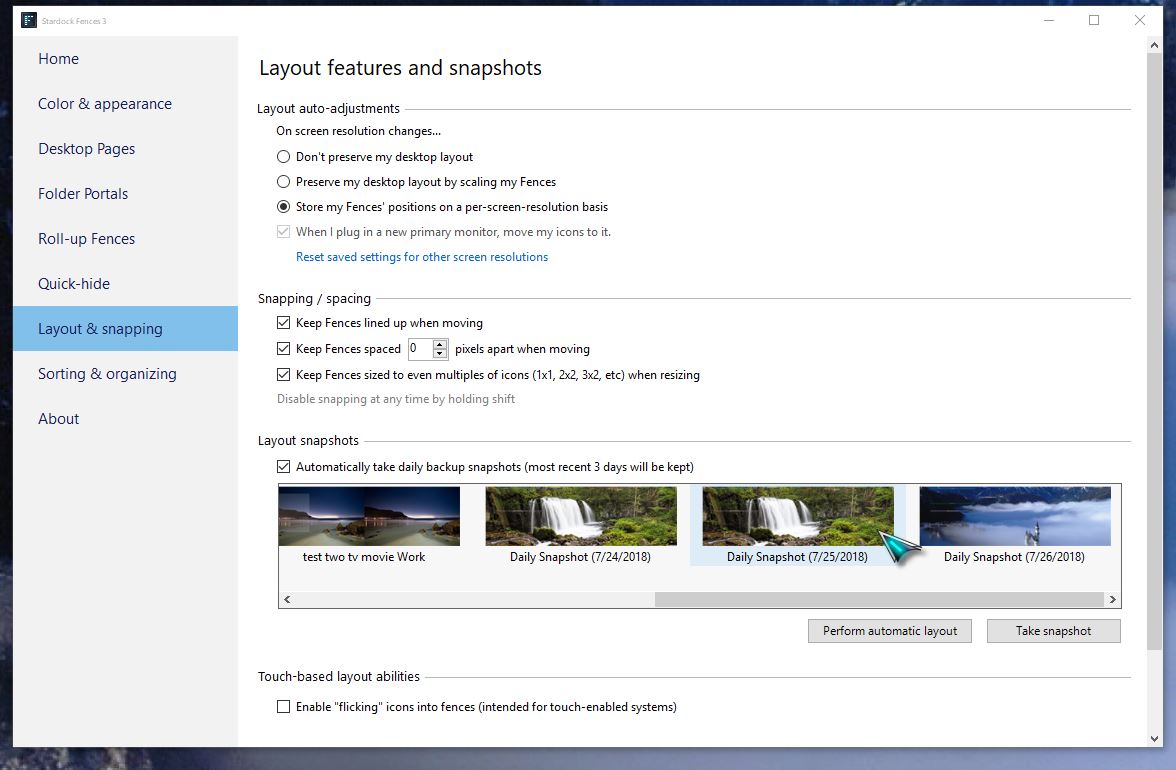
or
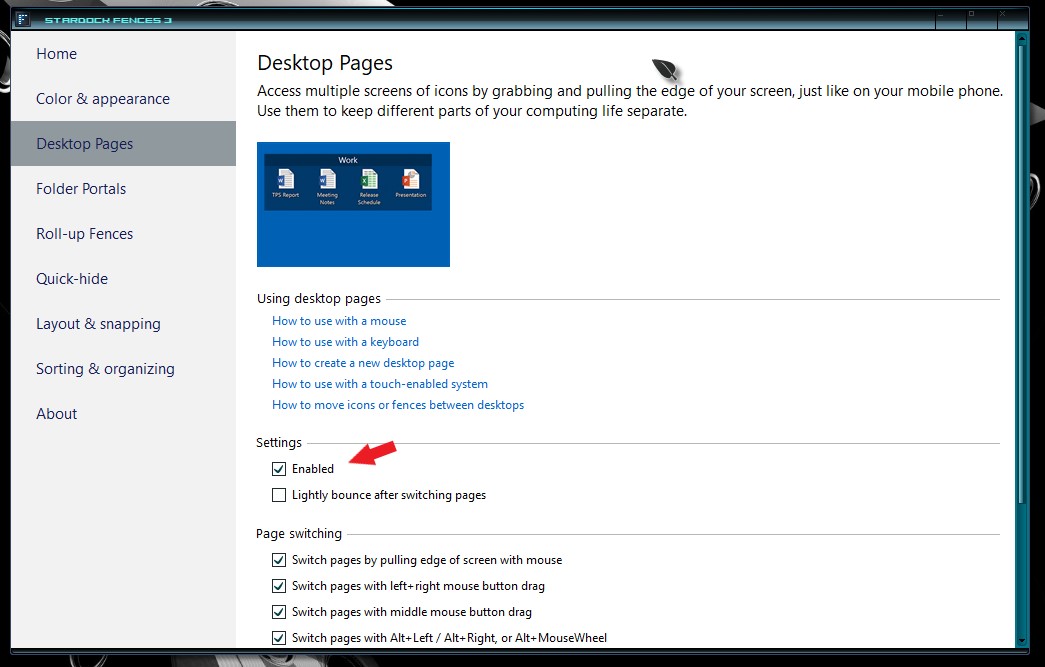
Basj,
Stardock Community Assistant.
Stardock Forums
Top
There is definitely an issue with the latest version of windows and Fences. I tried to drag the autohide folders to the right of my screen and poof - all of them on the desktop disappeared. I have only one monitor/desktop. The only way I was able to recover it was to disable desktop pages. Frustrating.
 Stardock Forums
Top
Stardock Forums
Top
If you have desktop pages turn on (Enable) and if you drag the fences over to the lift or right edge of your screen, Fences will automatically send that fences to a new virtual desktop page. It just a page like on your android phone. It still there just that you need to change page to see it. You can click on those inside the red box to have a short guide on how to use Virtual Desktop pages.
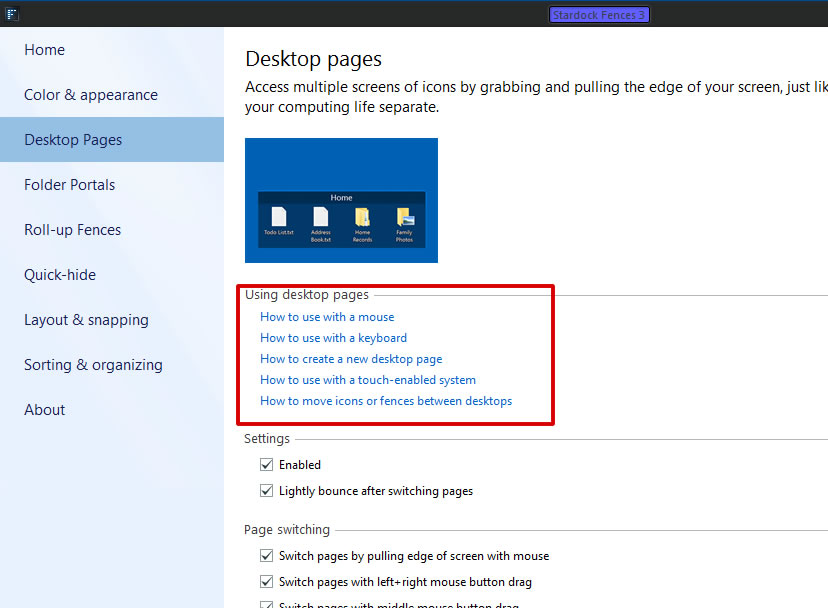
Thank you,
Basj
Stardock Community Assistant.
Stardock Forums
Top
Thanks for your advice, it was really helpful!
Welcome Guest! Please take the time to register with us.